
Unhiding folders feels like being a kid who finds a loose floorboard in their room. It’s your house. Why shouldn’t you know what’s under it? Hidden folders store local game saves (so you can back up your perfect Skyrim character) and secret config files (like which browser extensions are plotting against you).
You might even find a hidden folder from an old program called “Pictures” that’s full of nothing but .tmp files. That’s just Windows being a hoarder. It’s oddly satisfying to clean it out—like dusting behind the fridge.
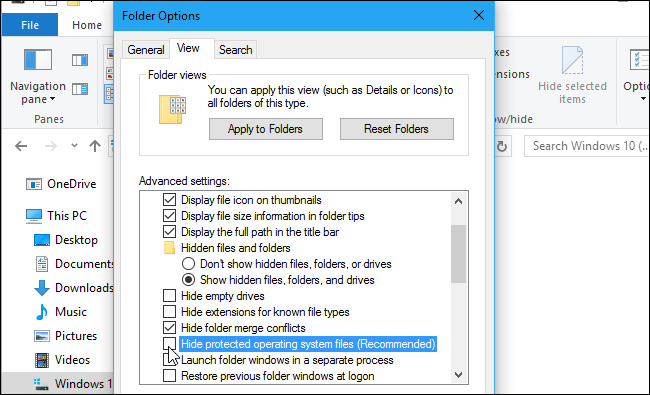 How to Show Hidden Files in Windows 10: The Definitive Guide
The Grand Finale: Unhide With Style
Want to hide a folder yourself? Right-click a folder, go to Properties, and check the “Hidden” box. Now it’s invisible to normal people. To make it super-duper hidden, open Command Prompt and type: attrib +h +s /s /d YourFolderName. That’s like casting a spell of digital invisibility.
To unhide it, just replace the “+” with a “-”. Simple wizardry.

