Here’s the funny part: many people confuse “average” with “normal.” Newsflash—it’s not. The average is just the total divided by the count. That’s it. No personality involved.
If you have five friends with $0 in their pockets and one friend with $100, the average is $16.67. But nobody has $16.67. Reality is weird, and averages are its sarcastic narrator.
Excel doesn’t care about your feelings. It just calculates. Cold. Efficient. Beautiful.
How to Boss It Around
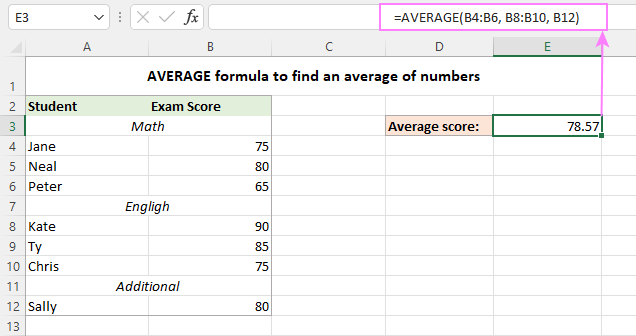
Type =AVERAGE(A2:A10) into a cell. That’s it. No secret handshake. No sacrifice to the spreadsheet gods. Just a formula that works.
You can average sales, test scores, or how many times you’ve yawned during Zoom meetings. Excel tracks it all. The yawn thing I made up, but try it. It’s funny.
Pro tip: never average percentages. That’s a rookie mistake. It’s like averaging the temperature of your oven and the temperature of the sun. You get a weird number that means nothing.

