What if you’re deep into a book and you just hate it? Like, actively hate it. You don’t have to finish it. Honestly, life’s too short for bad books, right? Kindle makes this super painless.
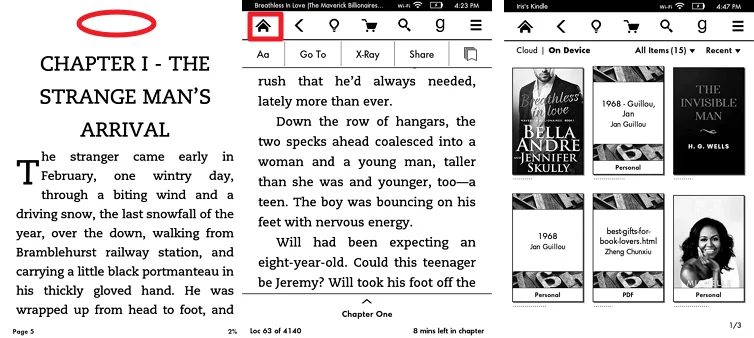 How to Exit a Book on Kindle Paperwhite/Kindle App
Open the book, tap the center, and then tap the three little dots in the top right corner (the menu button). Scroll down, and you’ll see an option that says “Return to Library” or “Go to Library”. Tap it. Done. You’re free. It’s like hitting the eject button on a boring airplane conversation.
The Hidden Ally: The “Go To” Feature
Here’s a cool trick that feels like cheating. You don’t actually have to flip through pages to escape a chapter. Tap the center, then tap the “Go To” icon (it looks like a little page with a corner turned). This opens a magical map of your book.
From here, you can jump to the very end of the book, the table of contents, or even the front cover. Why would you do that? Sometimes, peeking at the ending is the only way to satisfy your curiosity without reading 200 more pages. It’s like eating the last bite of cake first. Weird? Maybe. Effective? Absolutely.

